
Step #1
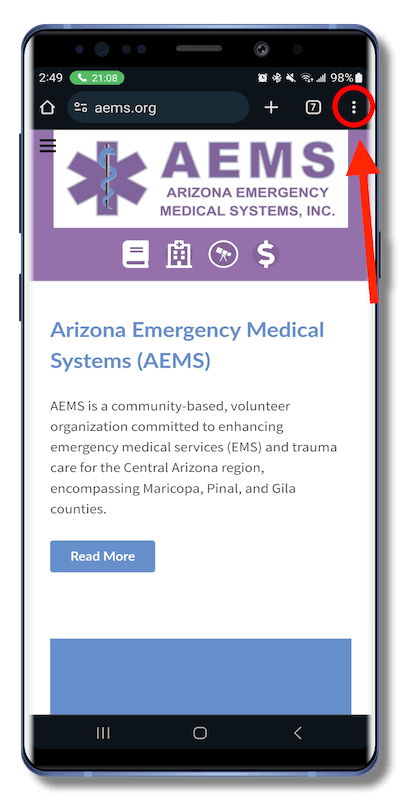
Open the Chrome Web Browser on your Android device

Visit the AEMS website at: https://aems.org
Then Click on the 3 Dots Icon in the upper right corner of your screen.
Step #2
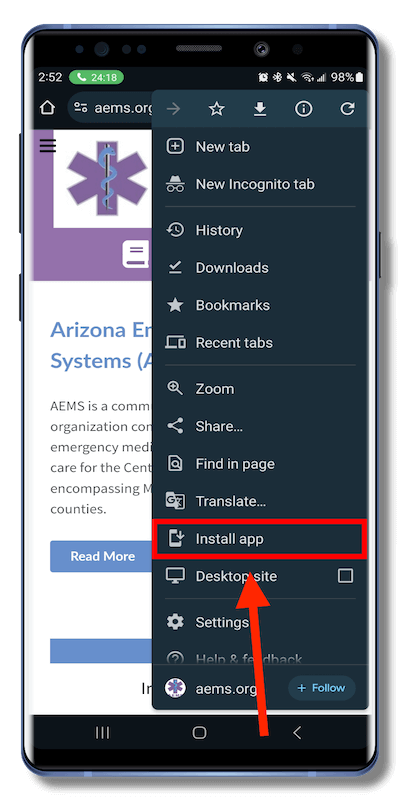
After Clicking the 3 Dots Icon
An Option Sheet will Appear
You will need to Scroll Down and
Click on... Install app
Step #3
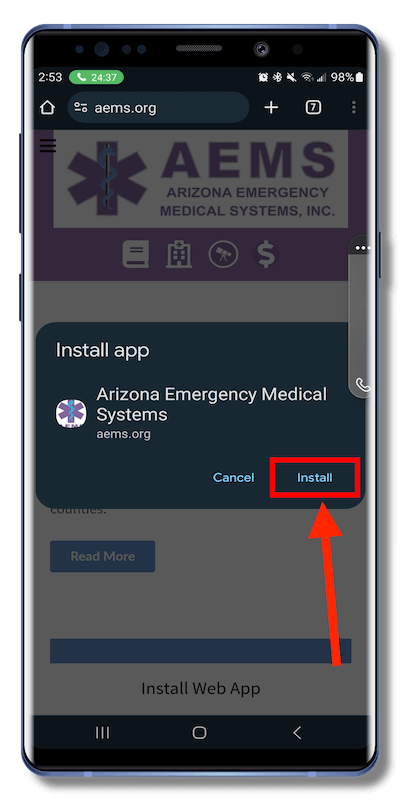
You will get a Pop-Up Notification asking you to
Install app
Click on the word Install
The AEMS Web App should now appear on the Home Screen of your Android device.
Congratulations!
You should now see the AEMS Web App appear on your Home Screen
Click on the Icon to use it like any other App.
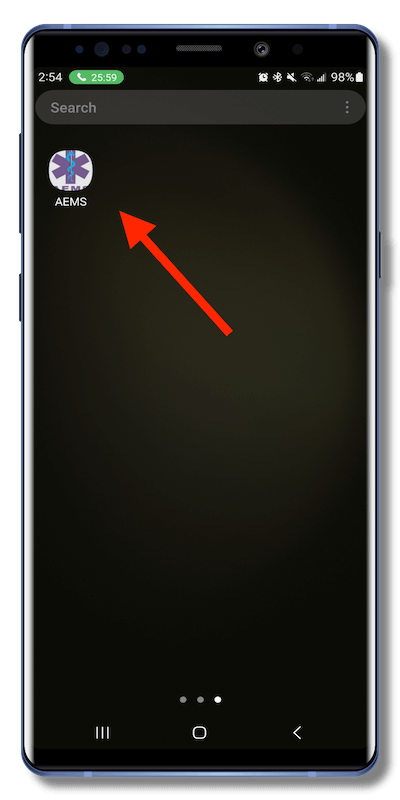
Note: If your home screen is already full of apps, you may have to swipe over to the next screen, to locate the AEMS app.